Tryhackme's Ninjaskill CTF
This is a tryhackme's room which tests your basic linux CLI skills
This is a complete walk-through of the room
The machine has these files in it , and the questions will be asked related to these
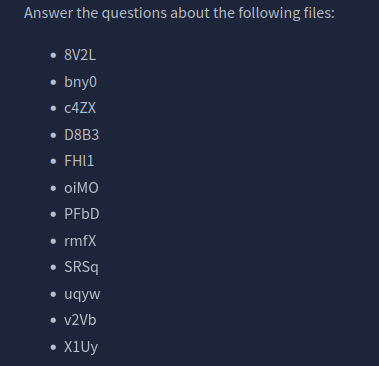
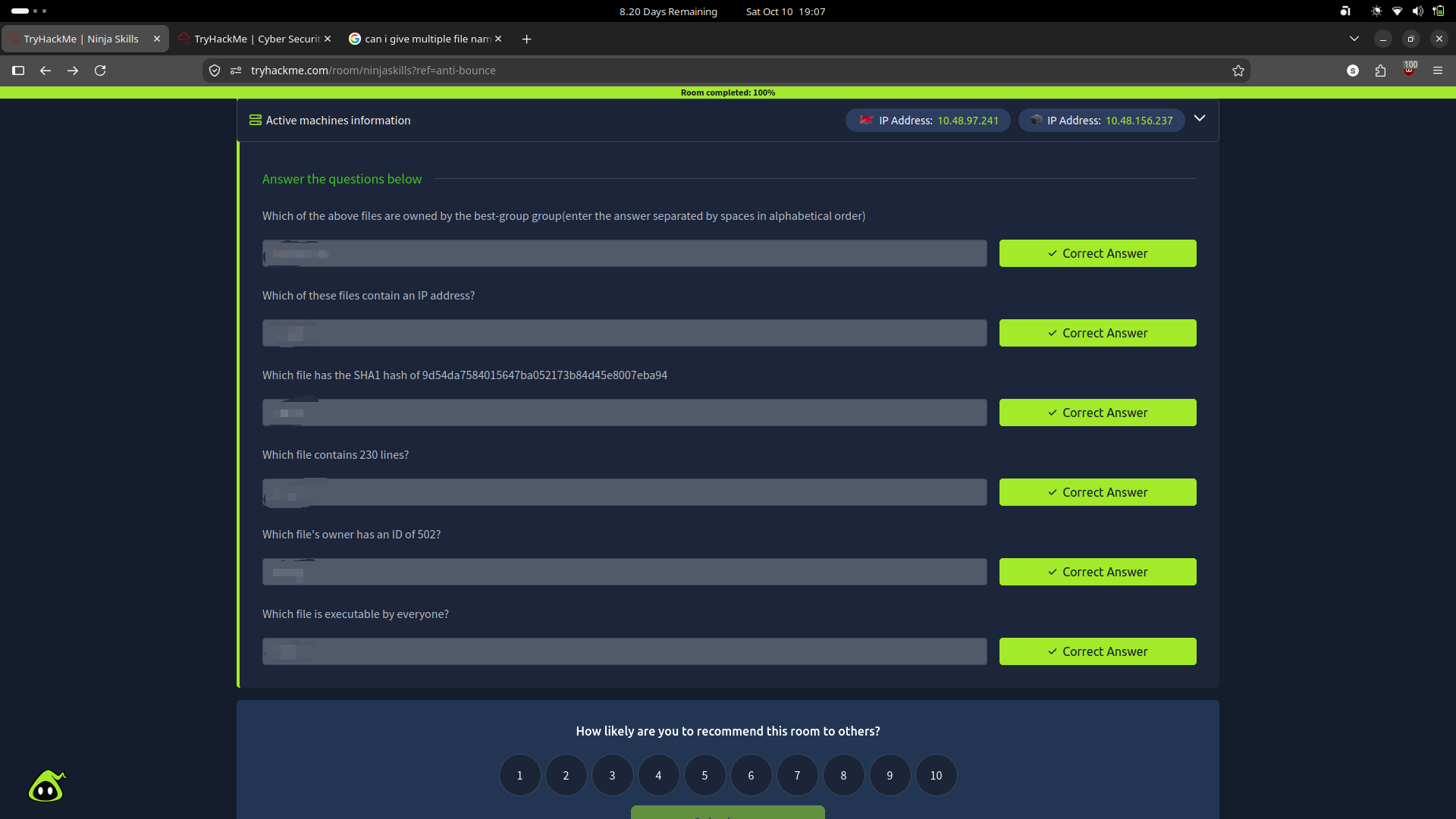
you need to answer questions given below
Phase 1 : Finding files and its metadata (Q 1 & 6)
First we need to locate all the files , because they are not just in one folder instead its all scattered across the file system
we can use find command, however to search for multiple files we can use this command
<< This command will be used multiple times >>
let’s call this “ Base-Find-Command”
find / \( -name 8V2L -o -name bny0 -o -name c4ZX -o -name D8B3 -o -name FHl1 -o -name oiMO -o -name PFbD -o -name rmfX -o -name SRSq -o -name uqyw -o -name v2Vb -o -name X1Uy \) 2>/dev/null
Let me explain things one by one
find / : / to specify the path which in this case is the whole file system
\(.....\) : these parenthesis are for grouping all the similar flags
-name : this is a flag to specify that the search should be based on name
-o : stands for OR
-name file1 -o -name file2 -o ........ : we are just saying that file1 or file2 and so on
2>/dev/null : Remember this , this makes your output clean and only shows the answer what you are looking for and not all the things that happened behind the scenes
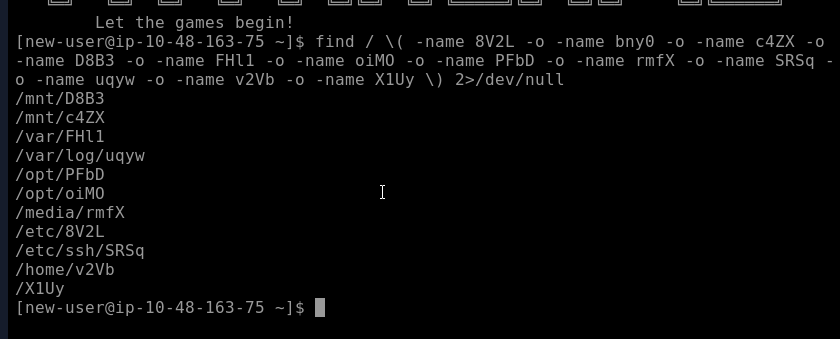
Now we know where all the files are located , but we are not going to use the paths of the files
instead we are going to use our first command by just clicking up arrow and pipe it to another command
for example if we want to see details like owner and permissions , we can pipe our Base-Find-Command to ls -l
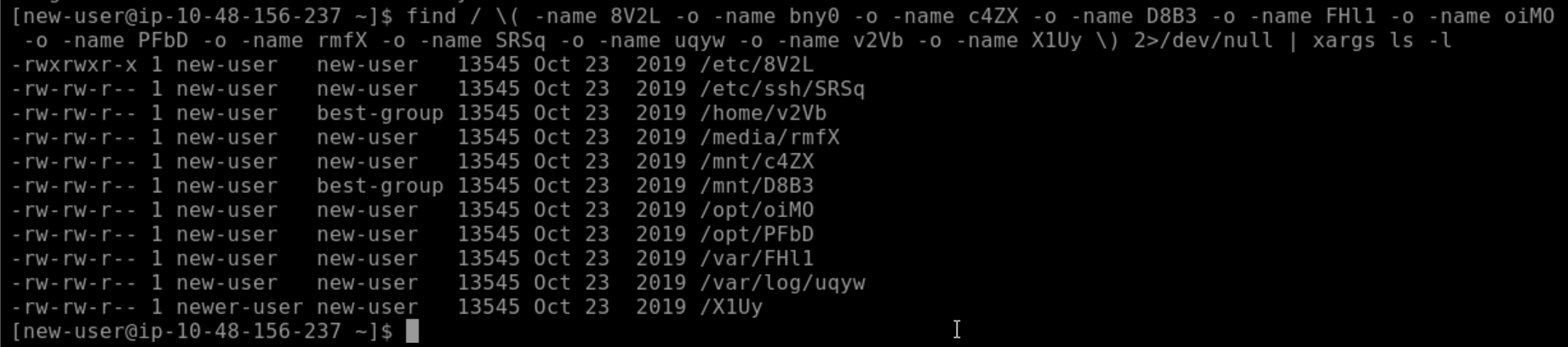
However as you can see there is an extra word xargs which is necessary , because ls needs an argument and find with piping doesn't directly provide it so xargs takes the output and turns it into an argument for ls
Questions 1 & 6 solved: , you can see 2 files owned by best-group && you can see which file is executable by everyone
Phase 2 : Finding which file's owner has UID of 502 (Q 5)
As we can see in our previous picture there only two user new-user and newer-user
and we can look the UID by just id command
id new-user & id newer user

and we can figure out which only file is owned by newer-user
Phase 3: Which of these files contains ip address? ( Q 2)
Again we are going to use our Base-Find-command and pipe it to grep
grep is the command which can look into your files and find patterns
Again this may seem very long and complicated , but let me explain all
<Base-Find-Command> | xargs grep -E -o "[0-9]{1,3}\.[0-9]{1,3}\.[0-9]{1,3}\.[0-9]{1,3}"

We used our Base-Find-Command and xargs to give grep the argument that find outputs
-o : stand for only, only exactly matching ones
E : Enables Extended Regular Expressions (so we can use {1,3}
[0-9] : means all the numbers from 0 to 9
{1,3} : means 1 to 3 digits , like 2 or 22 or 222 , but not "2222" 4 digits
\. : it literally means . between numbers
Phase 4 : Finding the file with given sha1 hash ( Q 3)
First we need to know all the sha1 hash of all the files and match it with given hash
Again we will use our Base-Find-Command but here we will use -exec which is find command's own feature which lets you run any command with the output of find
also we are using sha1sum which calculates the sha1 hash of a file, and pipe all the hashes to grep
<Base-Find-Command> -exec sha1sum {} + | grep -H "hash-number"

After our Base-Find-Command we added -exec sha1sum {} + , parenthesis and plus sign are part of the command
-H : with filename , this gives filename of the pattern too
Phase 5 : Finding which file contains 230 lines? ( Q 4)
We can use wc ( word count) with the flag -l which stands for lines
with the output of find use wc -l to count all the files lines and pipe it to grep and match which file has 230 lines
<Base-Find-Command> -exec wc -l {} + | grep -w "230"
find / \( -name 8V2L -o -name bny0 -o -name c4ZX -o -name D8B3 -o -name FHl1 -o -name oiMO -o -name PFbD -o -name rmfX -o -name SRSq -o -name uqyw -o -name v2Vb -o -name X1Uy \) 2>/dev/null -exec wc -l {} + | grep -w "230"
grep -w : -w is to specify we want exactly "230" number
